Onboarding and paywall

Onboarding and paywalls from apps that already earn, screen by screen

Real screens captured from mobile apps, in order and tagged by stage: welcome, questions, permissions, sign-up, paywall and free trial. Next to them, how much each app makes.

Find apps already making money

US$ 29/month · 7-day guarantee · cancel anytime

App flows

Explore real mobile app screens, organized by flow.

616 apps

Cal AI

Viral Development LLC

4.96.1K ratings
Food and nutrition

Downloads/mo

500K – 1M

Est. MRR

$1M – $2M

Rating

4.9(6.1K)

Screens

33

Latest Sep 2025

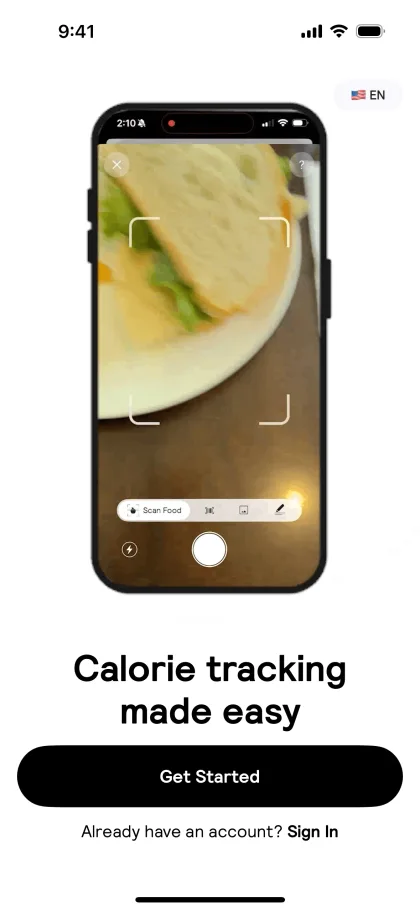
01Calorie tracking made easy

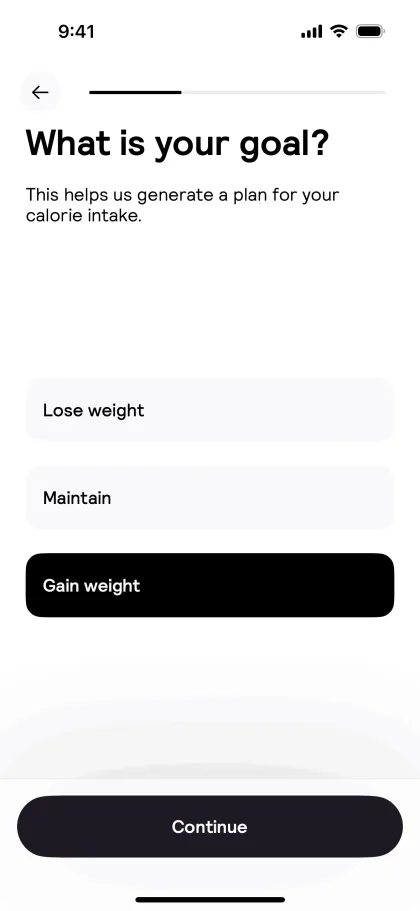
02What is your goal?

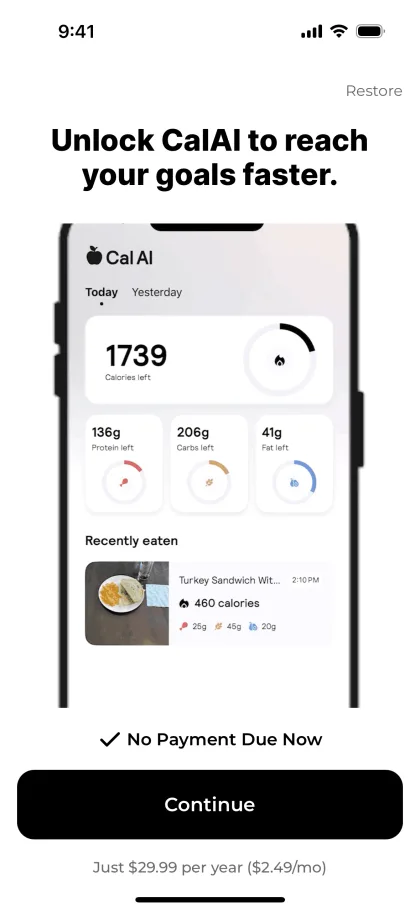
03Restore Unlock CalAl to reach your goals faster.

1–3 of 33View all 33 screens

Where can I see real app paywall and onboarding examples?

In Noctral’s flow library. It gathers real onboarding and paywall screens captured from mobile apps, in the order users see them, with each screen tagged by stage and each app’s estimated revenue and downloads.

Flows
Onboarding and paywall
Tagged stages
8 types, from welcome to result
Example
Cal AI, 33 screens
Next to each app
Estimated revenue and downloads
Onboarding and paywall

Study the funnel of apps that already sell

Onboarding decides who reaches the paywall, and the paywall decides who pays. Both appear here in full, in real order.

Full flow

The whole path, from first screen to paywall

Each app appears in the order users see its screens. Play the sequence or zoom in screen by screen to study the details.

  • Sequence in real order
  • Automatic playback
  • Zoomed screens and download
Cal AI33 screens
Welcome
Cal AI — Welcome
Question
Cal AI — Question
Paywall
Cal AI — Paywall

Stages

Every screen tagged by stage

Welcome, value proposition, questions, permissions, sign-up, paywall, free trial and result. See where the app asks for an email, when it shows the price and what comes before.

  • 8 stage types
  • Onboarding and paywall separated
  • First and latest capture dates

Context

The flow next to the revenue

Each app in the library shows estimated revenue and downloads. Start with the paywall of the top earner in your niche.

  • Estimated revenue and downloads
  • Sort by revenue, downloads or screens
  • Category filter

From niche to the paywall worth studying, in four steps

  1. 1

    Choose the category

    Filter the library by the type of app you are building.

  2. 2

    Sort by revenue

    Start with the top earners in the category.

  3. 3

    Play the flow

    See the whole sequence, from welcome to paywall.

  4. 4

    Compare the stages

    Note where each app asks for sign-up, shows the price and offers a trial.

FAQ

Questions about onboarding and paywall

Are the screens real?

Yes. They are captures of apps published in the stores, reviewed before entering the library.

Which apps have a captured flow?

The library grows as new captures are reviewed. Each app shows the date of its first and latest capture.

Can I download the screens?

Yes. Each screen can be enlarged and downloaded for your own study.

Do I need Pro?

The free plan shows the first app in the library. Pro unlocks the full flows of every app.

Can I cancel anytime?

Yes. The monthly subscription can be canceled at any time, with no fee.

Stop picking app ideas in the dark.

Use estimated revenue, downloads, rankings, and competitor signals to decide what to build or improve in your current app.

Start now